


Sharpen – College Exam Prep
4.2229.00 Reviews
App Specs
- Version
- 4.7.4
- Updated On
- License
- Free
- Downloads
- 100,000+
- Developer
- McGraw-Hill Global Education
- Categories
- Education
- Platform
- Android
Screenshots
 Analysis by AppCompare
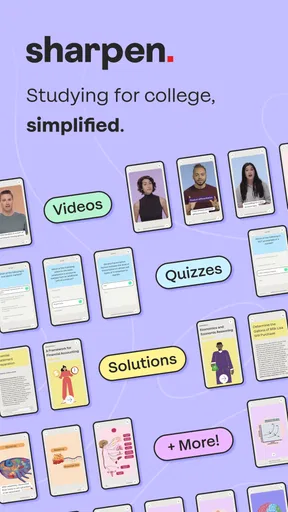
I approached Sharpen – College Exam Prep as a student might: looking for something that could turn a vague “I need to study” feeling into a manageable first session. This free education app from McGraw-Hill Global Education is built around short, focused preparation rather than a large digital textbook. Its main appeal is the promise of personalized, bite-sized study tools, which makes it especially interesting for students who struggle to begin or who have only small pockets of time between classes, work, and everyday commitments.
My overall impression is positive, but with an important qualification. This is not the kind of app I would treat as a complete replacement for lectures, notes, practice exams, or a course instructor. I see it more as a structured companion: something to use when I want to review actively, identify weak areas, and keep exam preparation moving. The app currently holds a 4.2 average from around nine hundred ratings, and its reach has passed one hundred thousand installs, so it is clearly being used beyond a tiny group of early adopters.
Getting from installation to a useful first study session
I’d keep the first session deliberately small: choose one course or exam you already care about, then spend the time noticing where you hesitate rather than trying to cover everything. I find that a quick note about the kind of mistake—forgotten detail, muddled terms, or a rushed read—makes the next study choice much clearer. That gives the following section a practical starting point: what to expect when you first open the app.
What to expect when you open it
The first thing I would tell a new user is not to expect an enormous library that requires hours of browsing before studying. Sharpen is designed around exam preparation, so the useful experience depends on moving toward a particular academic goal rather than casually exploring unrelated lessons. That focus can feel refreshing if I already know which subject or exam deserves attention. It can feel less immediately helpful if I arrive without a clear course, topic, or deadline in mind.
The app is free to install, which makes trying the basic experience relatively low-risk. However, in-app purchases range from $17.99 to $89.99 per item. I would therefore avoid assuming that every study resource or complete preparation path is included at no cost. A sensible approach is to install it, understand how the initial study flow works, and only then decide whether a paid item matches a real need in my course schedule.
Sharpen is aimed at college-level exam preparation, not at children’s homework or casual trivia practice. Its Everyone 10+ content rating makes it broadly accessible, but the academic purpose is more important than the age label. I would recommend it most readily to a college student who wants guided review in short sessions, especially someone who tends to postpone studying until a large block of free time appears.
There is also a practical device consideration. The current version is 4.7.4 and requires Android 8.0 or later. That is useful to check before planning a study routine around the app. If the phone is older than that requirement, the problem is not the learning method itself; the app simply may not be a realistic option on that device.
Worth Reading Before You Choose

EA SPORTS FC Mobile 26 Is a Bigger Football Game, but It Takes Time

Flipboard Shows What News Apps Must Do Beyond the Feed

Switching to Android Auto Means Rethinking Your Driving Routine

Google Calendar Makes a Crowded Week Easier to Manage

Ludo King Makes the Most of the Minutes Between Plans

Baby Panda World Brings Quick Play to Modern Phones, but Its Game Library Feels Busy
Setting up the app without overthinking it
For a first-time user, I would keep setup deliberately simple. Start with the subject or exam that matters most right now, rather than trying to configure an ideal semester-long system immediately. The point of the first visit is to reach a study activity quickly. If I spend the opening session organizing every possible goal, I risk turning preparation into another planning task.
A useful setup habit is to choose the assessment that has the clearest deadline. That gives the personalized tools a practical direction and makes it easier to judge whether the app is helping. If several exams are approaching, I would begin with one course and return later to expand the routine. This creates a cleaner comparison between what I already know and what still needs work.
I would also keep my course materials nearby during setup. Sharpen may help me review and practice, but it should not become the only place where I look for definitions, diagrams, assignment instructions, or the exact emphasis of an instructor’s lectures. Having notes open beside the app lets me check whether a difficult prompt reflects a genuine knowledge gap or simply uses wording that differs from my class.
One of the more useful ways to think about personalization is as a starting point, not a verdict. If the first activities feel easy, that does not automatically mean the whole subject is mastered. It may only mean that the initial review has not yet reached the difficult units. Conversely, a challenging first session can reveal where to spend time, but it should not be treated as a final judgment about ability.
The first successful action matters more than a perfect plan
For me, the first meaningful success would be completing one focused set of study activities and using the result to choose what comes next. That is a better milestone than simply opening the app, browsing its options, or collecting a long list of topics. I would begin with a short session, answer each item without immediately checking outside notes, and mark the concepts that caused hesitation.
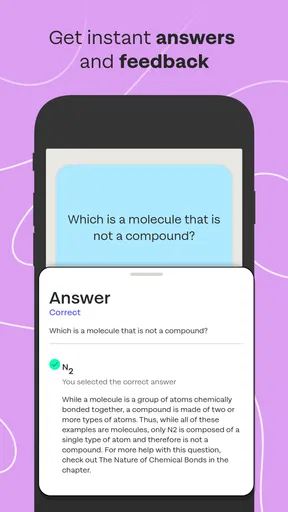
This approach creates a useful three-part loop. First, I attempt the material from memory. Second, I inspect the explanation or correction carefully instead of only looking at whether the answer was right. Third, I write a brief note about the reason for the mistake: forgotten information, confusing terminology, careless reading, or uncertainty between two plausible choices. That final distinction is easy to miss, but it tells me how to study next.
A realistic example would be a student riding the bus home after a morning lecture. Rather than promising to study for two hours that evening, the student opens Sharpen and completes a compact review session. One question exposes confusion about a core concept. At home, the student checks the lecture notes for that concept, then returns to the app later to see whether the same mistake has become easier. The value is not that the bus ride replaced a full study plan; it turned otherwise unused time into a specific diagnostic step.
I would not rush through bite-sized activities simply because they are short. Short review is most effective when I pause at the points of uncertainty. If I answer quickly but cannot explain why the answer is correct, I treat that as incomplete learning. The app’s compact format is best used to create frequent retrieval opportunities, not to collect impressive-looking completion streaks.
Another practical tip is to separate recognition from recall. If an answer looks familiar, I still try to state the idea in my own words before moving on. This is particularly important for courses with similar terms, formulas, classifications, or processes. An app can show me whether I selected the expected response, but I have to make sure I could produce the concept without seeing the choices.
Where new users may become confused
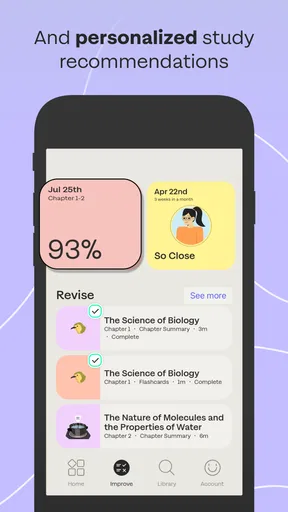
The word “personalized” can create unrealistic expectations. I would not interpret it as meaning that the app automatically understands every detail of a professor’s syllabus or knows exactly how an individual instructor will write an exam. Personalization is most useful for directing review and making practice feel more relevant; it still needs to be checked against the actual course requirements.
Another possible misunderstanding concerns the difference between exam preparation and general learning. Sharpen is a good fit when I need targeted review, repeated practice, and a way to keep a subject active in my memory. It is less suitable as my first source for learning a completely unfamiliar topic from the beginning. If I cannot explain the basic vocabulary at all, I would first use a lecture, textbook, instructor resource, or detailed lesson, then use the app to reinforce that foundation.
It is also easy to mistake a correct answer for durable knowledge. I may get an item right because I recognized the wording or remembered a previous attempt. To test whether the learning is real, I would close the activity and explain the concept aloud, sketch the process, or solve a similar problem from my notes. This extra step is especially valuable before an exam, when familiar screens can make preparation feel stronger than it really is.
Payment is another area where I would proceed carefully. The app is free, but individual in-app purchases can cost from $17.99 to $89.99. I would read the purchase details closely and compare the material with what my college already provides before spending money. A paid preparation option may be worthwhile when it covers a difficult, high-priority course, but it is harder to justify if I only need occasional review or already have strong instructor-provided practice.
Students should also understand the limits of a short-session format. Bite-sized study tools make it easier to start, but they do not automatically create a complete revision schedule. I would still set aside longer periods for writing practice, solving multi-step problems, reviewing class notes, and taking a full mock exam when those activities matter for the subject. Sharpen can help me decide what deserves attention; it cannot perform every kind of preparation for me.
How I would build it into a normal week
After the first successful session, I would use the app at three different moments rather than relying on it for one large cram session. A brief review soon after class can expose confusion while the lecture is still fresh. A second session later in the week can test whether the information survived beyond immediate recognition. A final review before the exam can help prioritize weak areas, provided I do not mistake last-minute activity for a substitute for earlier learning.
The most valuable workflow is to connect each session to a decision. If I miss questions about one concept, I return to the relevant class material. If I answer correctly but hesitate, I practice explaining it. If I repeatedly perform well, I move my time toward another topic instead of endlessly repeating comfortable material. This prevents personalized practice from becoming a loop that only confirms what I already know.
I would keep a small external list of recurring errors, even though the app itself provides the study environment. The list might contain three columns: the topic, the type of mistake, and the action needed. For example, “cell transport,” “confused two mechanisms,” and “draw both processes from memory.” This turns app activity into a broader study system and gives me something concrete to revisit before office hours or a study group.
Sharpen is particularly convenient for students who have irregular schedules. A commuter can use it between classes, a part-time worker can review during a break, and a student with family responsibilities can fit in a short session without waiting for a completely free evening. The trade-off is that the app’s convenience may encourage fragmented preparation if I never schedule deeper work. I would pair it with at least one weekly block for material that requires sustained concentration.
How it compares with familiar alternatives
Compared with rereading a textbook, Sharpen offers a more active starting point. Rereading can be useful when I need context, but it often lets me move through familiar sentences without proving that I can retrieve the information. A guided review activity pushes me to make a choice and notice uncertainty. For quick diagnosis, I prefer that active pressure to highlighting another page.
Compared with general flashcard apps, the appeal is greater direction. A homemade deck can be excellent when I have time to create precise cards from my professor’s material, and it may be better for memorizing highly specific details. The drawback is the work required to design, edit, and maintain it. Sharpen is more convenient when I want to begin practicing without building the entire system myself, though I would still use my own cards when the course depends on very particular terminology or lecture examples.
Compared with watching educational videos, the app is better suited to checking what I can recall. Videos are valuable when I need a clear explanation or visual demonstration, but they are passive unless I stop and work with the material. I would use a video or textbook to repair a conceptual gap, then return to Sharpen to see whether I can retrieve the idea independently.
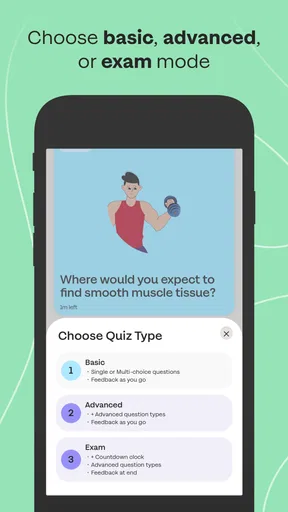
Compared with a full practice exam, the app appears more practical for regular maintenance and targeted review. A mock exam gives a stronger picture of endurance, timing, and mixed-topic performance, so I would not skip it before an important assessment. Sharpen’s strength is the smaller feedback loop between identifying a weak area and practicing it again.
Students who want a completely free solution may prefer library resources, instructor materials, or a carefully built flashcard routine, especially if the relevant app content requires a purchase. Students who dislike short digital activities and learn best through long written problem sets may also find a traditional workbook more suitable. I would choose Sharpen when convenience, guided review, and repeated short practice are the main priorities.
Who should use it, and who should skip it
I think this app is a strong candidate for a student who knows an exam is approaching but repeatedly delays starting. The short format lowers the psychological barrier, while the personalized direction can make the first step feel less random. It also suits students who want to turn small gaps in the day into review time without carrying a full set of books everywhere.
It is less convincing for someone who needs detailed instruction from the ground up, highly specialized material that must match one instructor’s wording, or extensive written practice. I would also hesitate to recommend paying for it to a student who has not yet compared its content with free campus resources. The free installation makes exploration sensible, but the purchase range means the financial decision deserves the same attention as the academic one.
Students preparing for an exam that depends heavily on essays, laboratory technique, long calculations, or open-ended projects should treat the app as one layer of preparation. Retrieval practice can support those subjects, but it cannot fully reproduce the task of writing a structured response, showing every calculation, or performing a procedure. In those cases, I would use Sharpen for recall and diagnosis, then spend most of the serious preparation on the format the exam will actually require.
My next-step routine after the trial
After trying the first study session, I would ask myself three practical questions: Did the activity expose a real weakness? Did the explanations help me understand why I missed something? Can I fit the routine into my week without abandoning deeper study? If the answer is yes, I would continue with one priority course and review the results after several sessions rather than purchasing immediately.
If the app helps me identify gaps but the available material does not match my syllabus closely enough, I would keep using the diagnostic habit while relying on class resources for the actual content. If the short format feels too shallow for my subject, I would move to longer practice sets and use Sharpen only as a warm-up or recall check. That flexibility is important: a useful study tool should support a plan, not force the entire plan to revolve around it.
My recommendation is to start small, verify the fit with your course, and judge the app by what you can explain afterward. Sharpen – College Exam Prep is a focused education app from McGraw-Hill Global Education, released on October 31, 2022, and it has matured to version 4.7.4. I like it most as a bridge between “I should study” and a concrete review action. It is free to begin, available for Android 8.0 and later, and rated for Everyone 10+, but the optional purchases and the limits of bite-sized practice mean it works best as part of a wider study routine.
In my view, the first-time user should not chase a perfect setup or assume that completing quick activities equals mastery. Choose one exam, complete one honest session, investigate the mistakes, and connect the next review to your course notes. If that process makes studying more regular and more targeted, the app is doing something genuinely useful. If you need exhaustive teaching, instructor-specific assignments, or long-form exam simulation, another resource should take the lead.
Pros
- Covers key college subjects with focused practice materials.
- Short study sessions make it easy to review during spare moments.
- Progress tracking helps identify topics that need more attention.
- Practice questions can improve confidence before important exams.
- Clean interface keeps navigation simple and study-focused.
Cons
- Some advanced content or features may require a subscription.
- Topic coverage can vary depending on the subject and exam type.
- Explanations may feel brief for difficult concepts.
- Requires consistent self-study; it does not replace classroom teaching.
- Offline access may be limited for certain lessons or resources.
FAQs for Sharpen – College Exam Prep
What is Sharpen – College Exam Prep, and who is it designed for?
Sharpen – College Exam Prep is a study and exam-preparation app aimed at students preparing for college-level tests and academic assessments. It is designed to help organize revision, practice important concepts, and build confidence through structured study materials. Before downloading, students should check whether the available subjects, topics, and exam formats match their specific course or institution.
What study materials and learning features does Sharpen – College Exam Prep offer?
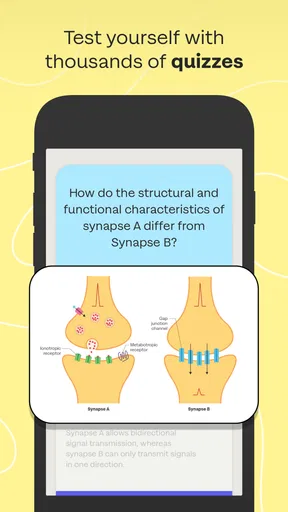
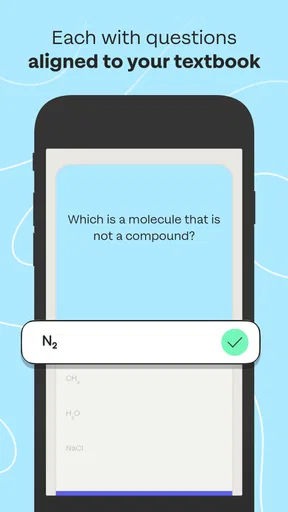
The app generally focuses on guided exam preparation through practice content, review resources, and study activities intended to reinforce knowledge. Depending on the subject, users may find quizzes, explanations, progress tracking, or other revision tools. The exact features can vary by version and platform, so it is worth reviewing the app listing to confirm what content is included before starting a study plan.
Is Sharpen – College Exam Prep free to download and use?
Sharpen – College Exam Prep may be available to download at no initial cost, but some learning resources or advanced features could require in-app purchases, a subscription, or access through a specific educational program. Students should review the pricing details, trial conditions, renewal terms, and cancellation policy carefully. A free download does not always mean that all preparation materials are free.
Can Sharpen – College Exam Prep replace a teacher, textbook, or complete study plan?
The app can be a useful revision companion, but it should not be treated as a complete replacement for lectures, textbooks, instructors, or official examination materials. Its practice activities may help identify weak areas and maintain regular study habits, while teachers and course resources provide deeper explanations and syllabus-specific guidance. For the best results, use Sharpen alongside a broader preparation strategy.
Does Sharpen – College Exam Prep require an internet connection or collect personal data?
Internet requirements and data practices may depend on the app version and the features being used. Some content may need an online connection for downloading lessons, synchronizing progress, or accessing account-based services, while offline availability may be limited. Before creating an account, users should read the current privacy policy and permissions list to understand what information is collected and how it is handled.


